
Aug 13, 2026
13 min read
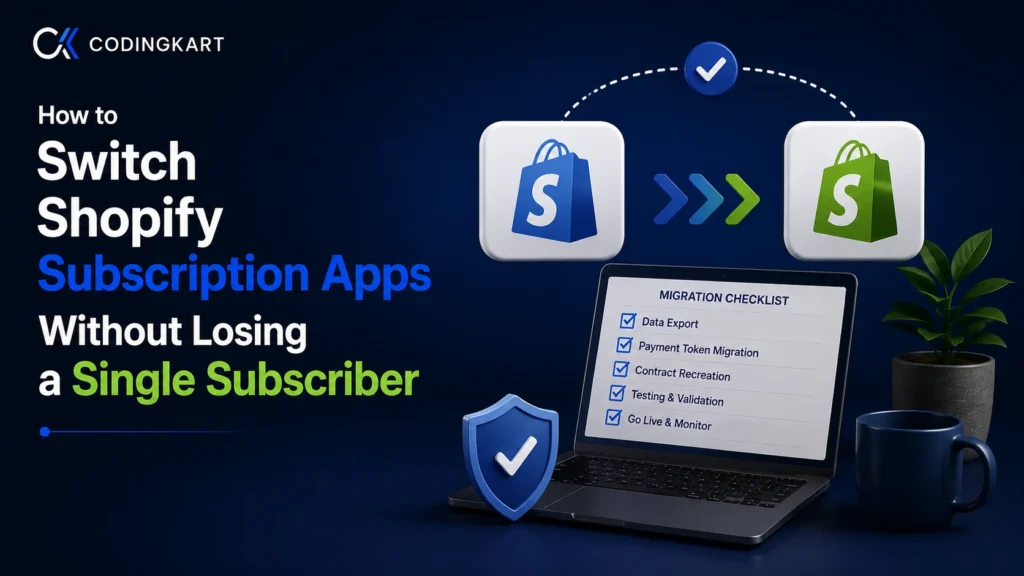
How to Switch Shopify Subscription Apps Without Losing a Single Subscriber
Switching Apps With Thousands of Live Subscribers?
Token imports, prepaid rebuilds and cutover freezes are daily work for our engineers. Your billing never skips a charge and your customers never notice a thing.
See How We BuildThe Shopify subscription market consolidated under your feet this year. On April 30, 2026, Recharge acquired Skio for $105 million in cash, which put the two biggest names in the space on a single roadmap. If your recurring revenue runs on either platform, decisions about your billing engine now happen in rooms you cannot see into.
Pricing moved in the same window. Recharge’s February 2026 restructure introduced a cheaper entry plan that only net-new installs can join, and existing accounts cannot downgrade into it. Your lifetime customer count drives plan transitions, and that count includes inactive and even deleted customers, so it only ever goes up.
Then there is the fee math. One 2026 fee analysis puts the switching threshold at roughly $700 per month in per-order fee bleed, or a 12-month contract term coming up for renewal. Below about $100K in monthly subscription GMV, staying put usually wins; above it, those transaction percentages start funding a better deal elsewhere.
So the reasons to move keep stacking up, and you have probably already scanned the alternatives stores are weighing against Recharge. The hard question was never where to go. It is how to run a Shopify subscription app migration that moves thousands of live billing relationships without breaking a single one.
The Real Reason Migrations Lose Subscribers
Where do lost subscribers actually go during a switch? Nowhere dramatic. They sit inside contracts the new platform rebuilt wrong, and nobody notices until the charges stop.
The rebuild part surprises most teams. Shopify gives each subscription app access to its own contracts only, so the incoming tool cannot read anything the outgoing one created. Nothing “transfers” in any real sense.
Every migration is a reconstruction. The new platform recreates each subscription contract from exported data, one field at a time, and every field is a chance to get it wrong. A price mapped to the wrong variant. A discount that silently drops off. A billing date that shifts by one day and double-charges someone, who then files a chargeback and cancels for good.
You do not need to master how subscriptions work under the hood on Shopify to run a safe switch. You do need to treat it as a data reconstruction project that happens to involve installing an app.
Will Your Customers Have to Re-Enter Their Card Details?
Some will, unless your payment tokens already live in the right vault. Everything about a safe migration flows from one question: who stores the card, Shopify or an external gateway? Answer that, and you know exactly how much risk you are carrying.
Three scenarios cover every store on the platform. Find your row before you plan anything else.
| Where your tokens live | What happens when you switch | Your move |
|---|---|---|
| Shopify’s vault (Shopify Payments, both apps on Shopify Checkout) | Payment methods stay put; new contracts simply point at them | Verify the vault location, then proceed; customers do nothing |
| An external gateway (Stripe, Braintree, Authorize.net, PayPal Express) | The old gateway keeps billing existing subscribers as a secondary “legacy” gateway; new signups vault with Shopify Payments | Import tokens through Shopify’s remote payment method API |
| No supported path (unsupported gateway, gateway-to-gateway moves) | Tokens cannot follow; affected subscribers must add a card again | Run a targeted re-collection campaign, or qualify for Shopify’s PAN migration |
Most stores running modern Shopify Checkout apps sit in row one, and for them the zero-loss promise in the title is fully achievable. Rows two and three are where migrations earn their bad reputation, so here is what each row really involves.
Row one. Shopify’s own help documentation says it plainly: if your payment methods already sit in Shopify’s vault, you may not need a payment migration at all. Do not take that on faith. Check whether your contracts reference Shopify-vaulted payment methods or gateway-side tokens, because plenty of stores assume row one and discover row two mid-cutover.
Row two. Bold’s own documentation admits what every vendor knows: nothing maps card data from Stripe, Braintree, or Authorize.net straight into Shopify Payments. The workaround is the secondary gateway pattern. You connect the old provider as a legacy subscription gateway, existing subscribers keep billing through it, and every new signup vaults with Shopify Payments from then on.
The token import itself runs through CustomerPaymentMethodRemoteCreate, a GraphQL mutation that registers an external gateway token inside Shopify’s vault. One trap worth knowing: Stripe no longer appears as a standalone provider in Shopify’s payment settings, and connecting it as a secondary subscription gateway requires a direct admin URL. Get that sorted before cutover week, not during it.
Row three. This is the expensive row, and honesty matters here more than anywhere. Shopify’s help center draws the line clearly: migrating raw card numbers (PANs) requires a Shopify Plus or Enterprise plan working with Shopify’s Professional Services team, while token migration works on any plan with your app developer involved. If neither path fits, a slice of your base will re-enter cards, and your job becomes shrinking that slice and recovering it fast.
One edge case hides inside row two. Subscribers paying through Stripe Link may need to stay on the secondary gateway permanently, and whether their payment methods can fully move depends on your specific setup. Confirm with Shopify support before promising anyone a clean break.
What to Audit Before You Touch Anything
The subscribers you lose first are the ones you never counted. Shopify community threads from mid-2026 repeat the same story: a store migrates, and the people sitting in failed-payment retry at cutover simply vanish. Retry history and dunning status rarely transfer cleanly, and no importer warns you.
So before anyone exports anything, take a full census. This segment list decides whether your cutover week is boring or catastrophic:
- Active contracts. Snapshot every contract with its price, discount, and next billing date. This file becomes your reconciliation baseline after the switch.
- Paused subscriptions. Confirm how the destination platform imports paused states. Some tools bring them in as active, which restarts billing nobody asked for.
- Mid-dunning subscribers. Export everyone currently in a failed-payment state, with retry counts. If their status breaks in transit, this list is how you get them back.
- Prepaid contracts. Note the remaining shipments owed on every prepaid plan. Rebuilding “3 of 6 cycles delivered” is manual work most importers skip.
- Legacy discounts. Flag contracts carrying grandfathered pricing or expired codes baked into the price. These break silently and generate the angriest support tickets.
- Stripe Link payers. Tag them now. They may need the secondary gateway path from row two above.
- Analytics history. Download your churn, LTV, and cohort reports before you lose dashboard access. Reporting lives inside the old platform, and it does not follow you out.
One Recharge-specific note. Its export portal includes a dedicated payment token report alongside the customers, subscriptions, and orders files. Generate the token file while you still have access, because without it the legacy card references in row two have nothing to import.
Three Ways to Move Subscription Data, and Where Each One Breaks
Which path should you trust with ten thousand live contracts? Every importer demo looks flawless with fifty test subscribers. Real data, half of it on grandfathered pricing, is a different animal.
The destination app’s migration team. This is the default path, and for row-one stores with plain monthly plans it genuinely works. The limits appear at the edges. Prepaid balances, stacked discounts, and mid-dunning states are exactly the records white-glove teams quietly set aside, and their process serves their app’s assumptions, not your data’s quirks.
CSV mapping. Spreadsheet imports give you field-level control and suit mid-sized moves with clean data. They also fail the way spreadsheets always fail: one shifted column across 8,000 rows, no duplicate protection, and no safe way to retry a partial import.
API scripting. This is the path built for edge cases. Shopify’s subscriptionContractAtomicCreate mutation rebuilds a full contract in one call, with the customer, payment method, plan, line pricing, discounts, and next billing date all set explicitly instead of inferred. Billing then restarts through billing attempts that carry an idempotency key, a client-generated value whose only job is making duplicate charges impossible.
Scale has an answer too. Shopify’s Bulk Operations API pushes thousands of contract imports through without burning rate limits. The price of this path is engineering time, which is why it belongs to stores whose audit turned up the messy segments above.
Pick the path your audit demands, not the one a vendor promises. A clean row-one store wastes money on custom scripts, and a prepaid-heavy row-two store loses subscribers to anything less.
The Cutover: Your Highest-Risk 48 Hours
Two billing engines running at once will double-charge your customers. That is why Shopify’s developer docs push one recommendation hard: pause all billing in the outgoing platform before you migrate payment methods and contracts. Everything else about cutover planning hangs off that freeze.
Schedule it using your billing date snapshot. Every store has a low-density window, often 48 to 72 hours, where the fewest renewals land. That window is your cutover.
The sequence itself should stay boring. Freeze the old platform’s billing, import the contracts, and verify a sample of at least 5% against your snapshot: prices, discounts, dates, and an attached payment method on every one. Then bill a small cohort first and watch those attempts clear before releasing the full base.
Old portal links never die. Subscribers keep clicking manage-subscription buttons from emails sent months ago, so redirect the outgoing platform’s portal URLs to the new customer portal. Skip this and those clicks land on error pages during your most sensitive week.
Your email flows break quietly at the same time. Every Klaviyo or webhook automation triggered by subscription events references the old platform’s event names and payloads. Each one needs remapping before the freeze, not after the first churn-save email fails to send.
Tell customers less than you think. Send a short note before the switch, a confirmation after, and one clear line about what changes for them, which is usually nothing. Never promise a date you have not tested against.
The First Billing Cycle Tells You Everything
Day three after cutover is when the quiet stores discover they are not fine. Cutover day feels like the finish line, but it is the starting gun.
Reconcile daily for one full cycle. Compare expected charges from your pre-migration snapshot against actual orders, and treat every gap as a defect rather than a rounding error.
Watch the failed-payment filter in your Shopify admin like a revenue metric. A decline spike in week one almost never means customer cards went bad overnight. It means tokens routed to the wrong gateway or contracts imported without payment methods attached.
Now recover the dunning list you exported during the audit. Send card-update requests to that segment directly, and track completions through the customer_payment_methods/create webhook or your new platform’s equivalent. Failed payments deserve permanent attention after the move too, because the silent leaks that drain subscription revenue do not pause for migrations.
When a DIY Migration Stops Making Sense
Plenty of stores should run this themselves. A row-one setup, clean data, a few hundred subscribers: take the importer path and enjoy a quiet week.
Four signals say otherwise. Tokens sitting at an external gateway. Meaningful prepaid volume. A five-figure subscriber count, where a 2% failure rate means hundreds of broken contracts. Or a full replatform, the kind teams face when WooCommerce subscriptions stop being enough.
The migration moment also reopens a bigger question. If you are switching because every app keeps hitting the same ceiling, the honest comparison is no longer app versus app; it is Recharge and its peers against a custom-built subscription stack. Stores with complex logic increasingly land on the second answer, and our team has shipped both sides of it, including deep custom Recharge integrations for brands that stayed.
Shopify Subscription Migration FAQs
Do payment tokens transfer between Shopify subscription apps?
Only when Shopify vaults them. Tokens stored with Shopify Payments carry over because both apps read the same vault. Tokens held at Stripe, Braintree, Authorize.net, or PayPal Express need a remote import instead, and the old gateway keeps billing existing subscribers as a secondary gateway.
How long does a subscription migration really take?
Between two days and six weeks. Vendor claims of 30-minute moves describe row-one stores with clean data and no edge cases. External gateway tokens, prepaid plans, and large subscriber counts push realistic timelines toward the longer end, including the audit, the freeze, and one full reconciliation cycle.
What happens to paused and mid-dunning subscribers?
They carry the highest loss risk in any switch. Retry history and failed-payment status often refuse to transfer, and paused contracts sometimes import as active. Export both segments before cutover, confirm how your destination platform handles each state, and recheck those subscribers by name after import.
Can prepaid subscriptions be migrated?
Yes, but rarely through standard importers. A contract showing three of six shipments delivered must be rebuilt with its remaining cycles intact, which usually means API work with explicit cycle counts. Audit your prepaid volume first, because it is the strongest single predictor of migration complexity.
Do billing dates change when you switch apps?
They should not, and any shift is a defect. Contract imports carry the next billing date explicitly, so verify a sample against your pre-migration snapshot before charges resume. A one-day slip across thousands of contracts creates duplicate renewals on one side and skipped ones on the other.
Can Shopify support move my payment tokens for me?
Partly, and only with your app developer involved. Token migration works on every Shopify plan but runs jointly through the subscription platform’s developer and Shopify. Raw card number (PAN) migration is different: Shopify’s help center limits it to Plus and Enterprise stores working with Shopify Professional Services.
Do I lose my analytics history after switching?
Yes, unless you export it first. Churn, LTV, and cohort reports live inside the old platform, and uninstalling removes your access to them. Download every report you might ever reference, because the new tool starts your history from day one.
Run this right and the only person who notices is whoever reads the fee line on your next P&L. Your subscribers keep getting charged the right amount on the right day, through a stack that finally fits how you sell.
The stores that lose people treat the switch as an app install. Treat it as an engineering project with a census, a freeze, and a reconciliation cycle, and the promise in the title holds.
About the author

Find Out Which Row You Are In
Tell us your current app, your payment gateway and your subscriber count. We will tell you exactly what breaks in your switch and how to protect every subscriber.