
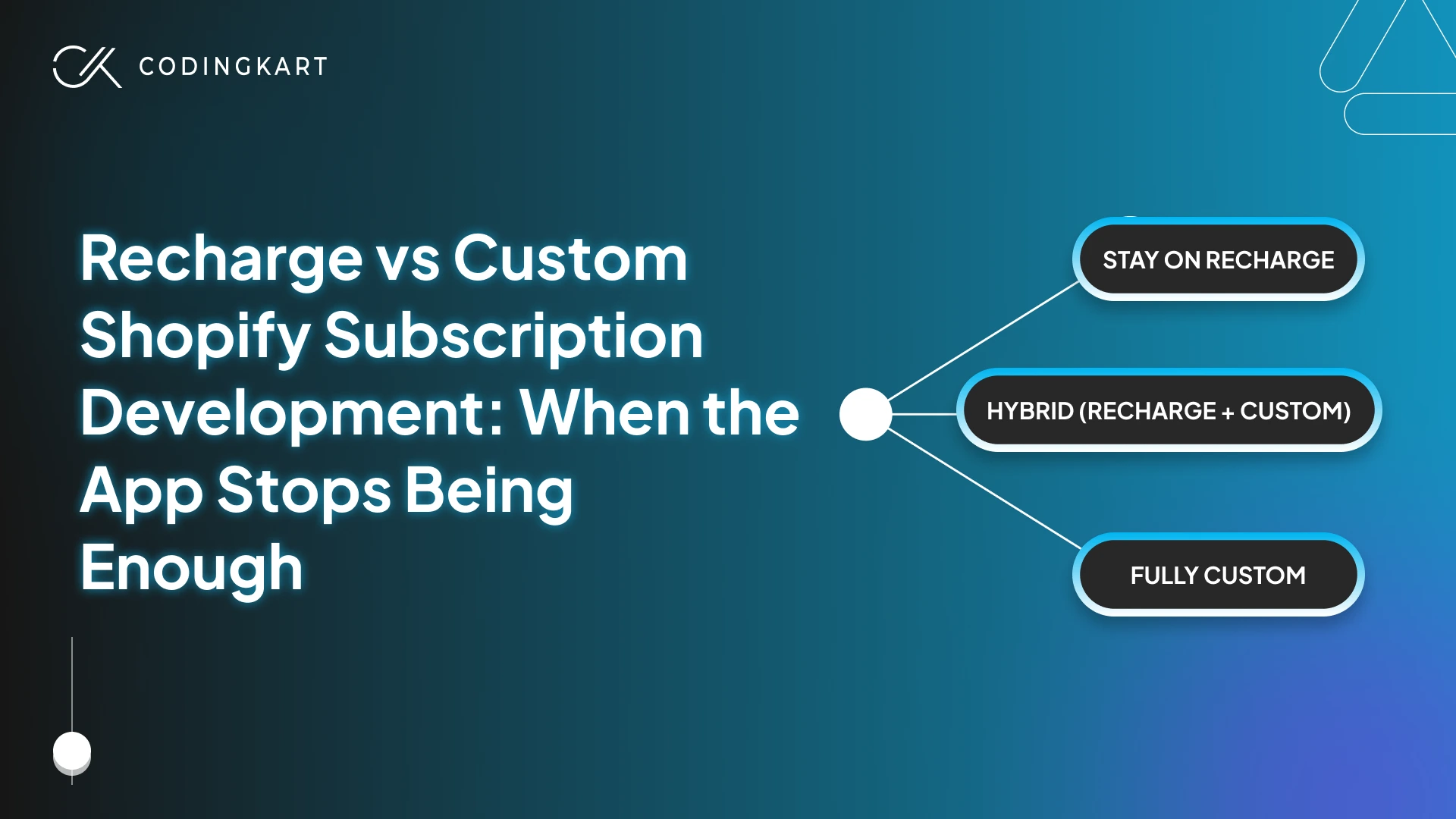
Most content on “Recharge vs custom Shopify subscription development” turns this into a yes-or-no question. It isn’t.
The actual decision in 2026 has three paths, not two. You can stay on Recharge. You can keep Recharge running the billing and build a custom layer on top for what it can’t do. Or you can go fully custom on Shopify’s native subscription APIs and own the stack end to end.
Each path fits a different stage of business, and most brands pick the wrong one because nobody shows them the middle one, which is the right answer for more subscription brands than the other two combined.
What follows breaks down which path fits which business, with concrete dollar ranges, the technical scope of each path, the migration realities of leaving Recharge, and a decision framework you can run against your own numbers. There’s also an honest take on when staying put is the right call.
What Recharge Actually Does Well
Before talking about where Recharge runs out, let’s be honest about what it does. The Shopify subscription apps category in 2026 includes Recharge alongside Skio, Loop Subscriptions, Stay AI, Appstle, and Shopify’s own native Subscriptions app, and most of them are competent. Recharge is the most widely deployed of the bunch, powering tens of thousands of merchants and processing billions in subscription transactions annually. That scale isn’t a vanity number. It means the boring, hard, operationally sensitive parts of running a subscription business have been engineered to a level most teams shouldn’t try to replicate from scratch.
The pieces Recharge has solved well, and that you’d be foolish to rebuild without good reason:
Payment retry and dunning management – When a card fails on renewal, the difference between recovering most failed charges and losing the subscriber outright comes down to retry cadence, fallback logic, and customer-facing messaging. Recharge has spent years tuning this, and the result is the kind of recurring billing Shopify infrastructure that fades into the background, which is exactly what you want from it.
The no-code subscriber portal – Skip, swap, pause, cancel, reschedule. Each of those flows is more complicated to build than it looks, and Recharge’s portal handles them at scale with no engineering required.
Cancellation flows and winback – Pro plan flows let you intercept cancellations with offers, surveys, and pause options. We’ve seen brands meaningfully cut churn just by configuring this layer well.
Integration ecosystem – Klaviyo, Gorgias, Postscript, Shopify Flow, dozens of others. First-class connectors that would take months to build from scratch each.
Shopify Checkout integration – For merchants on Recharge’s current architecture, the app runs natively within Shopify Checkout. No redirected flows, no split checkout experience.
For a brand selling shelf-stable, fixed-price, single-product subscriptions to individual customers, Recharge is the right answer well past 5,000 subscribers and often beyond. The question is whether your subscription business is actually that simple. Most brands assume yes. A lot of them are wrong.
The Signs the App Is No Longer Enough
Recharge limitations don’t show up as a sudden failure. They show up as workarounds, manual processes, and “we’ll fix that next quarter” notes that pile up. Here are the seven scenarios that point to it, ordered roughly from earliest signal to latest. Most subscription brands hit one or two of these before they realise they’re past the line.
1. Pricing logic that doesn’t fit a flat tier
Recharge’s pricing model assumes one of two things: a fixed price per product, or a percentage discount off the product price. That works for the default subscription model. It breaks the moment your price depends on a customer attribute that Recharge doesn’t read.
A 12-pound cat and a 90-pound dog cannot pay the same monthly amount for food. A weekly meal kit for a single person is not priced the same as one for a family of five. Vitamin subscriptions where the dosage scales with the customer’s weight, body composition, or usage history don’t fit either. Recharge has no clean native pattern for these. The pricing logic ends up living in a custom function that reads customer metafields and updates the Subscription Contract before each renewal fires. Without that custom function, your operations team is updating prices manually or, worse, charging the wrong amount and losing margin every cycle.
2. Subscriber data that isn’t 1:1 with the customer
Standard subscription apps were built around a one-to-one data model. One customer record. One subscription. The moment your business is one-to-many, the data shape underneath the portal is wrong, and the portal experience falls apart with it.
A pet food brand with multi-pet households needs one customer with three pet profiles, each pet tied to its own subscription contract with its own diet, weight, and feeding schedule. A corporate wellness brand needs one company account with twenty employees, each managing their own preferences. A family meal kit needs one billing customer with five household members and individual dietary restrictions. Recharge can’t represent any of this cleanly because the structure beneath the portal doesn’t exist. The fix is a custom subscriber portal rendered through Shopify’s Storefront API, where the household, pet, or member structure is modeled in metafields and surfaced through your own UI.
3. Workflows spanning systems Recharge doesn’t own
This is where most growth-stage subscription brands actually break, and they often don’t realise Recharge is the bottleneck because the symptoms appear elsewhere.
Your ERP knows what’s in stock. Your 3PL knows when its delivery cutoffs fall. Your CRM knows which customers are on which loyalty tier. Recharge knows none of this, and the gaps between these systems are where revenue and trust leak out. What it looks like in practice: a Zapier graveyard with thirty zaps, three Google Sheets that nobody fully trusts, and an ops engineer who spends Monday mornings reconciling what should have happened against what actually did. None of it is broken in any one place. It just doesn’t fit together.
A custom layer between Recharge and your operational stack, ERP, 3PL, CRM, listening to Recharge’s webhooks and writing the right state into each system, is usually the single highest-leverage investment a brand at this stage can make. It doesn’t replace Recharge. It connects Recharge to the rest of your operational reality, so the data stops disagreeing.
4. Subscriber portal limits
Recharge’s no-code portal handles the universal subscriber actions well. Skip, swap, pause, cancel, change frequency, update card. Where it falls short is anywhere your subscriber needs to do something specific to your business.
Pet weight updates that should re-price the subscription. Diet swaps that change the product variant on the next renewal but not this one. Add-ons that need to be bundled with the next shipment. Multi-tier upgrades from “monthly box” to “monthly box plus quarterly bonus.” Embedded subscriber education that walks a customer through how to use the product without sending them off-site. None of this lives in the no-code portal, and customising the portal beyond surface theming requires API work. The fix is usually a thin custom layer on Shopify’s Storefront API that surfaces the brand-specific actions, with Recharge handling everything underneath.
5. Regulated or high-stakes industries
Some subscription categories don’t tolerate the gaps Recharge is comfortable leaving open. Health and wellness brands operate under FDA labelling rules, GMP requirements for supplements, and state-by-state regulations on what can be sold to whom. The checkout has to validate against the customer’s location before the subscription is created, not after. Cold-chain food brands need delivery windows enforced as a hard constraint at signup. A missed window means spoilage, not inconvenience. CBD, regulated wellness, and age-verification requirements need attestations bound into the subscription contract itself.
Recharge’s checkout extensions can do some of this. The custom validation logic, the part that says “this subscriber cannot renew if their state’s regulation changes mid-term,” lives in Shopify’s Checkout UI Extensions or Shopify Functions on Plus. Without it, you’re either turning customers away at signup who could have been served, or accepting orders you legally can’t fulfil.
6. Economics flipping at scale
Recharge’s Pro plan is $499 per month plus 1% and 19¢ per transaction. At small subscriber counts, the math is fine. At scale, it gets expensive in a way that creeps up on you because the increases are always a small percentage of a slightly bigger number.
Run the numbers on your own base. A brand with 10,000 subscribers averaging $40 per renewal pays roughly $77,000 a year in Recharge fees on the Pro plan. Twenty-five thousand subscribers at the same AOV is closer to $183,000. A custom subscription system on Shopify’s native APIs typically costs $100,000 to $200,000 to build and $25,000 to $50,000 a year to maintain. Below 5,000 subscribers, custom rarely pays off on cost alone. Above 15,000, it often pays for itself within twenty-four months. The middle range depends on everything else in this list.
7. Workarounds multiplying
This is the strongest signal, and it’s not a feature gap. It’s a pattern.
Two years ago, you needed one workflow on top of Recharge. Then a Zapier zap. Then a Klaviyo flow that compensates for an event Recharge can’t trigger. Then a Google Sheet that your ops lead updates by hand every Monday. Then a custom Shopify Flow that papers over a sync issue between Recharge and your 3PL. None of it is broken, exactly. It just doesn’t fit together, and every new requirement adds another layer.
When the workarounds outnumber the configuration, the app has stopped being a tool and started being a shell around your real subscription system. At that point, you’re not deciding whether to build custom. You already are. You’re just doing it without intent, without architecture, and without anyone owning the result.
The Three Paths Forward
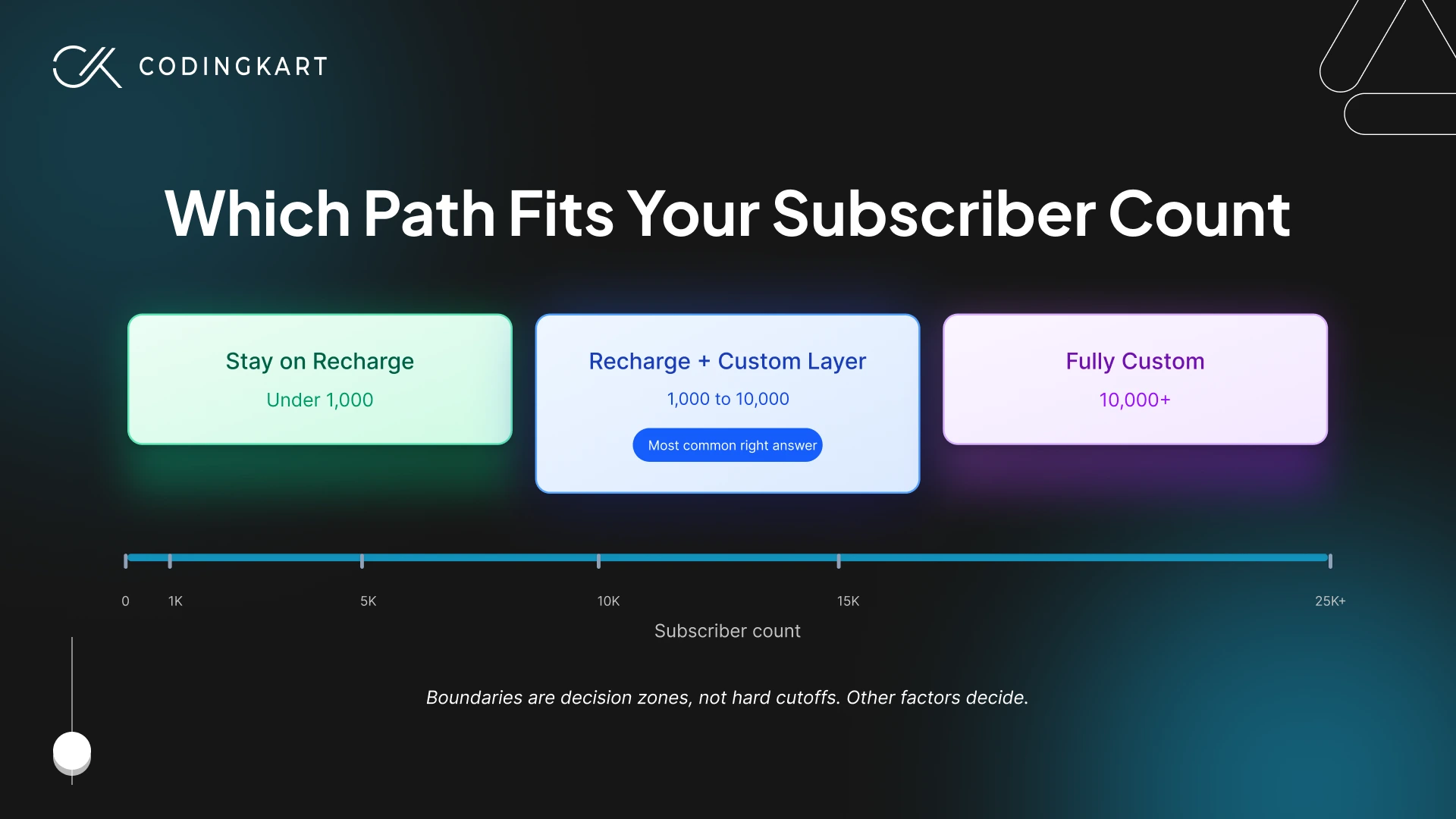
When you’ve decided Recharge isn’t enough, the question most teams ask is whether to switch apps or build custom. That framing is the trap. The real Recharge vs custom Shopify subscription development decision has three answers, and the middle one is the right call for more brands than the other two combined.
Path 1: Stay on Recharge
The right answer when your subscription model is genuinely simple. Fixed pricing. One subscription per customer. No deep integration with operational systems beyond the standard Klaviyo and Gorgias connectors. No regulated complexity.
Most brands under 1,000 subscribers belong here, and many brands well past that count belong here, too. The 80% that Recharge handles well, the boring infrastructure that nobody thinks about until it breaks, is hard, expensive work that’s already done. You shouldn’t rebuild it just because you read a blog post about custom development. If you don’t have a specific gap that Recharge is failing to fill, the right architecture is the one you already have. Keep paying the platform fees, configure the flows you need, and put your engineering budget on growth.
This path is the right answer for more brands than will recognise themselves in Paths 2 and 3, which is worth flagging before we move on.
Path 2: Recharge plus a custom layer
This is the most underrated and most common right answer, and almost nobody writing about this question champions it. Vendors don’t sell it because it doesn’t generate switches, and editorial reviewers don’t think in those terms. The result: the path that fits roughly half of all subscription brands between 1,000 and 10,000 subscribers is the one nobody is talking about clearly.
The hybrid Recharge approach keeps Recharge handling what it does well, billing, payment retry, dunning, the subscriber lifecycle, and adds a custom layer on top for the 20% Recharge can’t handle. There are five custom layers brands typically build on top of Recharge, in roughly the order they need them:
- A custom subscriber portal rendered through Shopify’s Storefront API, calling Recharge’s API in the background. Subscribers get the brand-specific actions your business actually needs (multi-pet management, weight-based re-pricing, tier upgrades). Recharge keeps managing the contracts underneath.
- A custom integration layer between Recharge and your ERP, 3PL, CRM, or whatever else needs to know about subscription state. This is usually the single highest-leverage build for brands that already have operational complexity, because it stops the Monday-morning reconciliation tax.
- A custom pricing function that reads customer metafields (pet weight, household size, plan tier) and updates the Subscription Contract before each renewal fires. The pricing logic Recharge can’t natively express lives here.
- Custom checkout extensions for compliance, delivery windows, age verification, or any pre-purchase validation logic that has to live in the checkout itself.
- A headless storefront on Hydrogen with Recharge as the backend, when conversion rate on subscription pages becomes the bottleneck and Liquid templates can’t take you any further. This is the rarest of the five and the last one most brands need.
You keep everything Recharge does well, including the billing reliability you’d spend months replicating. You add only the parts that solve your specific gaps. Cost typically lands in the $20,000 to $60,000 range, one-time, plus light ongoing maintenance, on top of Recharge’s normal fees.
Path 3: Fully custom on Shopify’s native APIs
Shopify’s native subscription stack, Selling Plan API, Subscription Contract, and Customer Payment Methods, has matured to the point where building directly on it is a real option. These are the same primitives that Recharge and most other subscription apps build on. A fully custom subscription system uses them directly, with Shopify Functions for in-checkout pricing and validation logic, a custom embedded admin app for merchant tooling, and a custom storefront experience for the subscriber-facing flows. The shape of this work on Shopify Plus depends heavily on what’s already running, but the underlying primitives are stable enough now that we recommend this path more often than we did two years ago.
The argument for this path is rarely cost. At most subscriber counts, custom is more expensive than Recharge over the first 24 months. The argument is control. You own the data model, the experience, the integration surface, and the subscription logic end to end. There’s no vendor between you and your subscribers. There’s no per-renewal fee. There’s no roadmap waiting for someone else to ship.
Brands that pick this path usually share three traits. They’re past 10,000 subscribers. Their subscription is core to their product, not a payment option layered onto a transactional store. And they’ve already exhausted what Recharge plus a custom layer can do. Cost typically runs $100,000 to $200,000 to build, $25,000 to $50,000 a year to maintain, plus internal engineering ownership.
How the three paths actually compare
| Factor | Stay on Recharge | Recharge + Custom Layer | Fully Custom |
|---|---|---|---|
| Subscriber count | Under 1,000 ideal | 1,000 to 10,000 | 10,000 plus, usually |
| Build cost | None | $20K to $60K | $100K to $200K |
| Annual cost | Recharge fees | Recharge fees + ~$10K to $20K maintenance | $25K to $50K maintenance |
| Time to live | Hours | 8 to 16 weeks | 16 to 32 weeks |
| Pricing flexibility | Fixed or percentage only | Fully custom | Fully custom |
| Multi-entity household support | No | Yes (custom portal) | Yes |
| Compliance and regulated logic | Limited | Yes (custom checkout) | Yes |
| Data ownership | Shared with Recharge | Shared with Recharge | Full |
| Per-renewal fees | 1% to 1.25% + 19¢ | 1% to 1.25% + 19¢ | Payment processor only |
| Engineering ownership | None | Light | Heavy |
The right answer depends on which row matters most. For most brands, the differentiator is the second row (build cost) and the fifth row (pricing flexibility). For brands in regulated categories, row seven decides. For brands at scale where vendor lock-in has become a strategic concern, row eight is the whole conversation.
What Custom Shopify Subscription Development Actually Involves
The phrase “custom subscription development” tends to mean different things to different people, which is why scoping conversations often go sideways before they start. Custom Shopify subscription development has a specific shape in 2026. Three layers, each doing a specific job, each built on Shopify primitives that didn’t all exist three years ago.
The data layer
Subscription state lives in Shopify’s Subscription Contract object. That’s where the price, the next-charge date, the frequency, the line items, and the payment method live for every active subscription on the store.
Everything Shopify doesn’t model, and there’s a lot, lives somewhere else. Pet profiles, household members, dietary restrictions, regulatory attestations, loyalty tier, lifetime usage, whatever your business actually tracks about your subscribers, gets stored in customer metafields and often in a custom app’s own database for anything more complex than a key-value pair.
The two stores have to stay in sync. That sync is part of the build, not a side detail, and it’s where most projects either lock in clean architecture or accumulate data drift.
The billing layer
Most of the engineering happens here. The Subscription Contract API holds the price and renewal date for each subscription, and a custom pricing function reads whatever customer attributes drive your model (pet weight, household size, usage history, plan tier) and updates the contract’s price before the renewal fires. Payment methods are managed through Shopify’s Customer Payment Methods API. The renewal itself goes through Shopify’s normal subscription billing flow. Your function just makes sure the price is right when it does.
On Shopify Plus, Shopify Functions let this logic run inside Shopify’s own infrastructure rather than in your app. That matters because it means the calculated price shows up live during checkout, not only at renewal. A subscriber adjusting their plan during signup sees the right number immediately. On standard Shopify, the same logic runs as a webhook listener responding to subscription billing events, which works fine, but doesn’t give you in-checkout calculation.
Failed payments route through a custom dunning sequence. Retry schedule, Klaviyo emails, winback offer, eventual cancellation if recovery fails. You control every step. Recharge’s default dunning is good, but a custom sequence lets you tune the cadence, the messaging, and the recovery offers to your own subscriber base rather than the generic average.
The experience layer
What subscribers actually see. A custom portal rendered through the Storefront API, either as a section of your storefront or as an embedded Shopify app. Onboarding flows that capture the data the pricing function depends on (you can’t price a pet food subscription on weight if you never asked for the weight). Checkout UI Extensions for any pre-purchase validation, regulated industry checks, delivery window constraints, or compliance attestations.
Email and SMS are triggered by the same webhook events that the billing layer listens to, so the messaging stays in sync with the billing reality. A subscriber who skips a renewal shouldn’t get a “your shipment is on its way” email two days later. That kind of cross-system desync is what custom development is supposed to eliminate.
The work isn’t reinventing subscription billing. It’s building the parts of your business that don’t exist in any tool, the pet, the household, the compliance check, the integration, on top of the parts that do.
The Real Cost Math: Recharge Pro Plan vs Custom
Honest cost comparison on this question is harder to find than it should be. Most “custom vs Recharge” content either underweights Recharge fees at scale or overweights custom build cost at low scale. Both errors lead to bad decisions.
The directional model below is based on what we typically see, calibrated to current Recharge Pro plan pricing and standard ranges for custom Shopify subscription costs. These are illustrative, not quotes. Your numbers will vary with renewal frequency, churn, AOV mix, and how much custom scope you actually need.
| Scale | Recharge Pro/yr | Custom build (one-time) | Custom maintenance/yr | Cost-justified? |
|---|---|---|---|---|
| 1,000 subscribers, $40 AOV | ~$13K | $100K | $25K | No. Stay on Recharge. |
| 5,000 subscribers, $40 AOV | ~$40K | $120K | $30K | Borderline. Other factors decide. |
| 10,000 subscribers, $40 AOV | ~$77K | $150K | $35K | On cost alone, no. Capability case has to carry it. |
| 25,000 subscribers, $40 AOV | ~$183K | $180K | $40K | Clear. Roughly 18-month payback. |
(Recharge fees calculated on the Pro plan at $499/month plus 1% plus 19¢ per transaction, across twelve monthly renewals per subscriber. Real numbers vary with the variables above.)
Three things are worth pulling out of this table.
First, custom is rarely cheaper than Recharge below 5,000 subscribers, and the brands that build at this scale are paying for control or capability, not cost. If you’re at 1,500 subscribers and your custom case is “Recharge fees are too high,” the math doesn’t support you. The case has to be made on something else, usually a pricing model or a portal feature Recharge can’t handle, or it isn’t ready to be made yet.
Second, breakeven on the Recharge Pro plan vs custom math actually flips somewhere between 12,000 and 15,000 subscribers for most subscription models. Above that range, custom development pays for itself in subscription fees alone, before any of the strategic benefits kick in. Below it, you’re choosing custom for capability reasons that have to stand on their own.
Third, this math ignores opportunity cost, which is usually the bigger number. The build-versus-buy decision rarely turns on the fee delta alone. The real argument for custom is the conversion lift from a portal that actually fits your subscribers, the retention lift from compliance and operational logic that doesn’t fail at the wrong moment, and the strategic value of owning your subscription stack instead of leasing it. Those numbers are harder to model in advance, but they’re usually larger than the fee savings.
That last point is also why the table is dangerous if read alone. A founder looking at the 1,000-subscriber row and concluding “we’re stuck with Recharge for years” is missing the question. The right question isn’t whether custom development would be cheaper. It’s whether Recharge is currently costing you something that doesn’t show up as a line item, like a subscriber experience that’s losing customers, or an ops tax that’s eating your team’s Mondays. If yes, the math changes. If no, the math is right, and Recharge is the answer for now.
Migration Realities: What Happens When You Leave Recharge
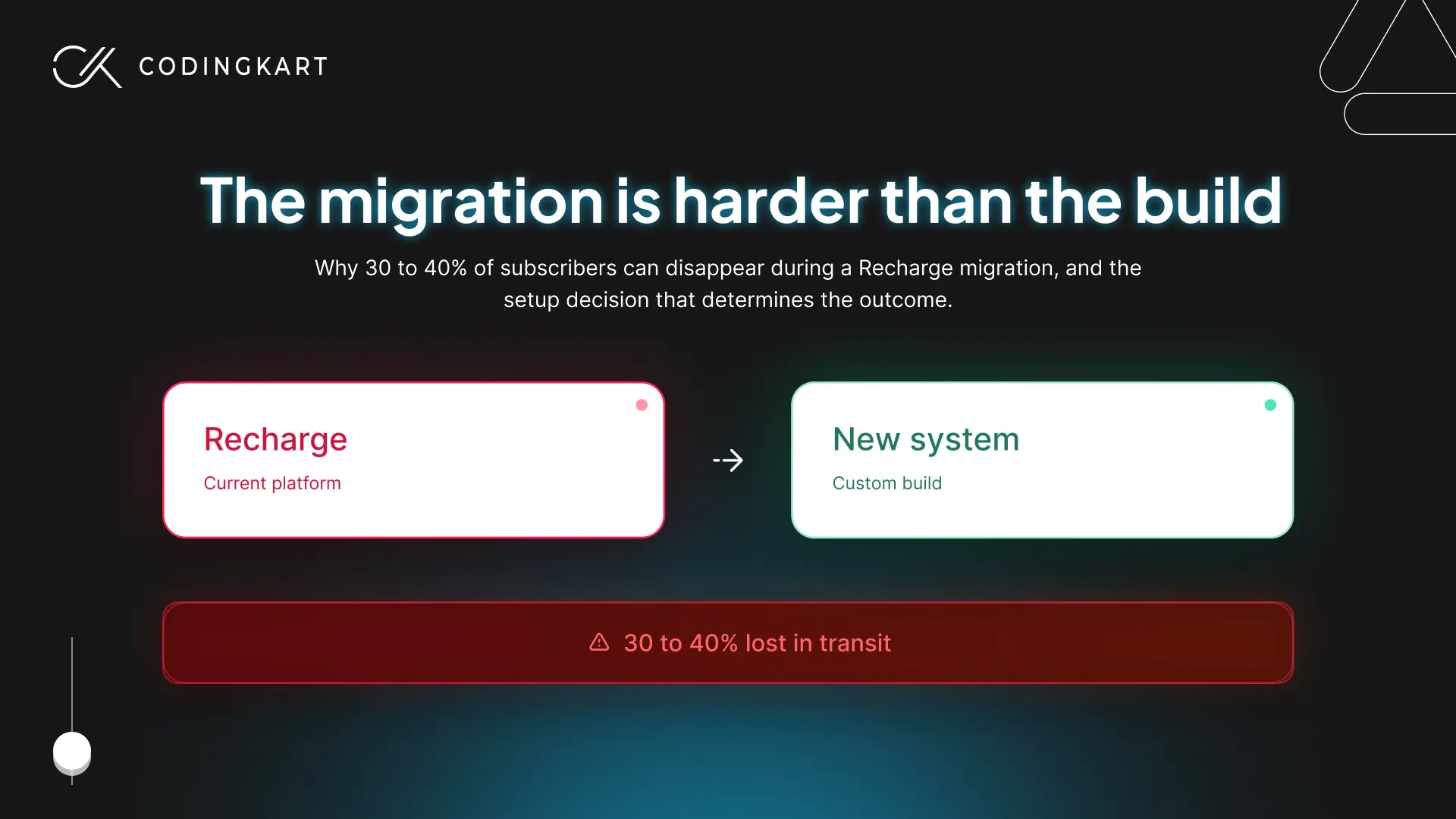
If you’ve decided to move off Recharge, the migration itself is harder than the build, and the reason is almost always the same.
Payment token portability is the killer. Saved cards stored under Shopify Payments cannot be exported to a third-party processor. Tokens stored directly with Stripe can sometimes transfer if the merchant-of-record relationship was scoped correctly at signup, but most brands didn’t think about this when they signed up. They discover during migration that the tokens can’t move, which forces every subscriber to re-authenticate their card.
Re-authentication rates of 60 to 70% are common, which means 30 to 40% of your subscriber base falls off in the process. This question has to be answered before the project starts, not during.
Subscription contract state has to migrate intact. Next-charge date, frequency, prepaid balance, any pending swaps or pauses. A subscriber whose next charge was scheduled for the 17th cannot be charged on the 1st in the new system, and they cannot be skipped either, to fix the discrepancy. The cutover logic isn’t optional, and getting it wrong means duplicate charges, missed shipments, or both.
Cohort migrations beat big-bang every time. Move 50 to 100 subscribers in the first cohort. Validate that renewals, charges, emails, and portal access all work end-to-end. Then scale the cohorts up. The full base typically takes weeks, not hours, and that’s the right pace.
Active subscriber tolerance for migration mistakes is zero. Subscribers will tolerate marketing emails about the change. They will not tolerate a duplicate charge, a missed shipment, or a card declined on a renewal that should have worked. The trust cost of getting this wrong is far higher than the engineering cost of preventing it, and that math doesn’t change with project pressure.
A Decision Framework: Recharge, Hybrid, or Custom
When to leave Recharge isn’t a single threshold. It’s three different thresholds depending on which path fits.
Stay on Recharge if:
- You’re under 1,000 subscribers
- Your subscription is fixed-price, single product, one customer per subscription
- Workflow workarounds aren’t multiplying
- Recharge fees are a small percentage of subscription revenue
- Your roadmap has bigger priorities than subscription infrastructure
Build a custom layer on top of Recharge (the hybrid Recharge approach) if:
- You’re between 1,000 and 10,000 subscribers
- One or two specific things Recharge can’t do are real bottlenecks
- You want to keep Recharge’s billing reliability without rebuilding it
- Your differentiation is in subscriber experience, not billing infrastructure
- Your custom build budget is in the $20K to $60K range
Go fully custom on Shopify’s native APIs if:
- You’re past 10,000 subscribers and complexity isn’t shrinking
- Recharge fees plus workaround maintenance cost more than ownership would
- Subscription is your product, not a payment option layered onto a transactional store
- Compliance, multi-entity households, or deep system integration is non-negotiable
- You’re already in subscription hell: three systems disagreeing, a Zapier graveyard, an ops lead reconciling by hand
The most common failure mode on this build-versus-buy decision is brands at 3,000 subscribers acting like they’re at 25,000, building custom systems they don’t need yet. The second most common is brands at 25,000 subscribers acting like they’re at 3,000, paying Recharge fees that have crossed six figures while their subscribers struggle with a portal that doesn’t fit.
Questions Founders Ask Before Building Custom
Can I build a custom layer on top of Recharge instead of replacing it?
Yes, and for most brands between 1,000 and 10,000 subscribers, this is the right call. Recharge exposes a comprehensive API for reading and writing subscription contracts, customer data, and renewal events. That means a custom layer can do almost anything the default product can’t. Common patterns include a custom subscriber portal rendered through Shopify’s Storefront API that calls Recharge in the background, a custom pricing function that updates the contract before each renewal fires, and a custom integration layer between Recharge and your ERP, 3PL, or CRM. This hybrid Recharge approach keeps the billing reliability you’re already paying for while solving the specific gaps Recharge can’t.
What can custom development do that Recharge’s Pro plan can’t?
The Pro plan handles the universal subscription operations well, billing, retries, dunning, the no-code subscriber portal, and basic flows. Custom development takes over where any of five things stop fitting: pricing logic that depends on customer attributes Recharge can’t read (pet weight, household size, usage), one-to-many subscriber data structures (multi-pet households, corporate accounts, family meal kits), portal features specific to your business that the no-code customizer can’t surface, regulated industry validation that has to live inside the checkout itself, and operational integration with systems Recharge doesn’t speak to natively. The Pro plan covers the standard 80%. Custom development covers the rest.
Will I lose subscribers when migrating from Recharge?
The honest answer depends almost entirely on payment token portability. If your payment tokens transfer cleanly to the new system, migrations typically lose under 5% of subscribers. If they cannot transfer, which happens often when the original merchant-of-record relationship wasn’t scoped for portability, every subscriber has to re-authenticate their card, and 30 to 40 percent of them won’t. That’s not a migration execution problem. It’s a setup problem from the original Recharge install. Resolve the token question before scoping a migration project, not during it.
How much does custom Shopify subscription development cost?
Hybrid builds (Recharge plus a custom layer) typically run $20,000 to $60,000 one-time, with $10,000 to $20,000 a year in maintenance. Fully custom subscription systems on Shopify’s native APIs run $100,000 to $200,000 to build, with $25,000 to $50,000 a year to maintain. The variance inside each range comes from what’s already running on the store, how much custom logic the pricing model needs, and which integrations have to be in scope at launch. Brands under 5,000 subscribers rarely cost-justify custom on fees alone; the case has to be made on capability or operational pain.
Most Teams Miss the Moment
Recharge isn’t the wrong choice. It’s the right choice for the largest population of subscription brands on Shopify, and it stays right longer than most teams give it credit for. The mistake is treating “Recharge or custom” as a permanent identity rather than a stage-of-business decision.
The same brand that should stay on Recharge today might need a custom layer eighteen months from now and a fully custom system eighteen months after that. The right architecture changes as the business changes. Most teams don’t fail at picking the right answer. They fail at noticing when the right answer has changed.
The clearest signal you’ve reached that point is when your subscription stack starts feeling like it owns you instead of the other way around. Three systems disagree. Four spreadsheets nobody fully trusts. A Zapier graveyard. An ops lead spending Monday mornings rebuilding the truth from scratch. That’s not a feature gap. It’s a signal the app stopped being enough a while back, and the cost of not noticing is compounding every week.
If your subscription stack is starting to feel like the section above describes, we’ll help you figure out which path fits. Codingkart has scoped and built across all three, and the first conversation is to tell you honestly which one you actually need.

 Get Started
