
You did not start with custom development. You installed WooCommerce Subscriptions, set up your products, and watched the first renewals clear. For a while, that was exactly the right call.
Then the plugin stopped fitting the business behind it. One size needed its own billing terms and the plugin would not allow it. Failed renewals slipped away quietly, taking subscribers you had already paid to win. Customers kept emailing to pause or swap because the account page could not do it for them.
So you added an extension. Then another. The stack held for a while, the way stacks do, right up until it didn’t.
You already know which part is breaking. That was the easy diagnosis. The harder question is the one nobody answers for you.
What do you actually build, how do you decide between your options, and what does it cost to get right?
Configuring the plugin and developing on it are not the same thing
Most people never notice the line between them until they are standing on the wrong side of it, paying for the crossing.
On one side is configuration. You work with parts that already exist. You toggle on the retry system, pick a billing interval, add an official extension to cover a gap. Nothing new gets built. You are arranging what the plugin and its add-ons already hand you.
On the other side is development. You build behaviour the plugin was never designed to produce. Billing logic shaped around how you actually price. A renewal engine that holds up at your volume instead of buckling. A portal that does what your customers expect rather than what the default account page allows.
The difference is not effort, it is direction. Configuration bends your business to fit the tool. Development shapes the tool to fit your business.
You usually cross over for one reason, and it is not that the plugin is bad. A plugin is built for the common case. The day your model stops being common is the day configuration runs out of room.
When the plugin is not enough, you have four options
There is no best path here, which is exactly why this trips people up. Each of the four is the right answer in the right situation, and the expensive mistake is not choosing custom over a plugin. It is choosing the wrong one of the four and paying for a fix your situation never called for.
Path 1: Configure and patch, until you shouldn’t
The honest first answer is often that you should not build anything yet.
If your plans are simple, your subscriber count is comfortable, and the gaps are cosmetic, a settings change or one well-chosen add-on will carry you fine. Reaching for custom work this early just spends money on problems you do not have. Plenty of the things people assume need a developer are really a checkbox someone never ticked, or one of the limits WooCommerce Subscriptions runs into out of the box.
The picture changes when the patches start stacking. One add-on is a setup. Four overlapping plugins that still do not quite agree with each other, plus a manual fix your team runs every week, is a tax you pay forever.
That is the line. When the workarounds cost more in licences, lost revenue, and wasted hours than a proper build would, patching has quietly become the expensive option wearing a cheap price tag.
Path 2: Extend the plugin
This is the path most brands actually need, and the one they reach for last.
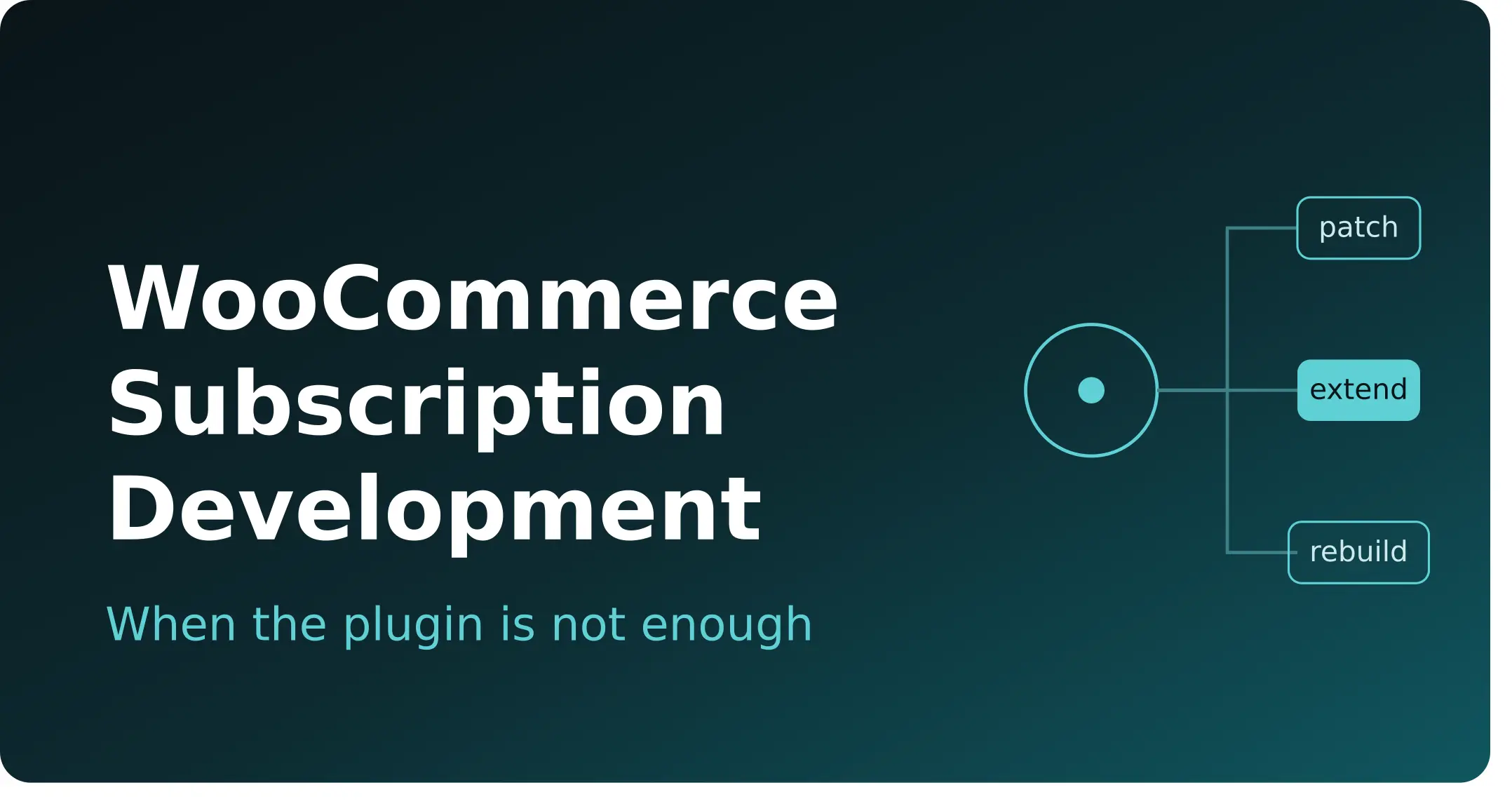
Extending keeps WooCommerce Subscriptions as the billing engine and adds custom code on top to do what the plugin won’t. The foundation stays. You build the missing behaviour around it. Three examples show what that looks like in practice.
Take failed payments first. Out of the box, a declined charge gets retried on one fixed schedule that never asks why the card failed, so a maxed-out card today and a cancelled card for good both get hit on the identical timeline. Extending replaces that with retries timed to the actual decline reason, plus card-updater logic that refreshes an expiring card before it ever declines. That matters because failed payments cause 20 to 40 percent of all subscription churn, and most of it is recoverable revenue you are currently letting walk.
Then the subscriber portal. Your customers want to pause, skip a delivery, or swap a product without emailing anyone, and the default account page does not stretch that far. So you build a portal that does, and your support inbox stops filling with requests a button should handle.
Last, proration. Native switching handles a clean move between two simple plans. The moment a mid-cycle upgrade has to credit what was already paid and charge the rest to the exact day, that math needs building around your real plan structure, or every upgrade turns into a support ticket instead of expansion revenue.
Path 3: Build a custom system
Some models do not need the plugin extended. They need it gone.
You reach this path when the plugin’s core architecture fights the way you work, and adding more code on top is putting lipstick on the wrong engine. The signal is that you keep hitting architecture, not features. Your pricing rules cannot be expressed in the plugin’s data model. The renewal queue cannot move the volume you push through it no matter how you tune it.
At that point, extending only buys time you will pay for again later. A system built around your actual model and volume costs less to run than one you are permanently fighting.
Path 4: Leave WooCommerce for another platform
The last option is the one to reach for least, because here the ceiling is not the plugin at all. It is the ground the plugin stands on.
WooCommerce runs every renewal as a background job, and is refreshingly honest that there is no fixed breaking point. Some stores strain at a few thousand subscriptions while others run past eighty thousand without trouble, a difference that comes down to how WooCommerce schedules renewals. If you have genuinely hit that wall and tuning has stopped helping, the answer may not be more WooCommerce code. It may be moving to another platform instead, which is its own project with active subscribers and renewals to protect.
For most stores, though, this is not where you land. The answer is usually one of the first three, and it stays on WooCommerce.
Three checks that decide extend or rebuild
The choice between extending and building is the one that actually moves money, and most people make it backwards. They start from the solution they already have in mind, then look for reasons. Run these three checks instead, and the answer usually picks itself.
The foundation is either working or fighting you – If renewals process on time and the trouble sits in features and flows, the plugin is holding, so you extend on top of it. If the way subscriptions get stored, scheduled, or priced is itself the obstacle, that points the other way.
The fix either sits on top of the plugin or replaces how it works – A sharper portal, smarter recovery, proration that holds, all of that leaves the billing engine intact. Re-architecting how renewals run or how pricing is modelled replaces core behaviour, and that is a build, not an extension.
Your model has a two-year shape, not just a today shape – If your roadmap stays inside recognisable subscription patterns, extending grows with you. If you are heading somewhere the plugin’s design cannot follow, building now beats extending twice and rebuilding anyway.
None of this gives you a universal answer, and that is the point. The assessment matters more than the build, because the wrong call costs more than either path done well.
What changes when you sell coffee versus supplements versus pet food
What you sell decides what gets built, far more than most people expect walking in.
A pet food store needs pricing that follows the animal, not the product. The amount recalculates as someone updates their dog’s weight or age, and one account holds several pets without forcing separate logins. A supplement store needs the opposite shape: a bundle of products billed as one recurring order, with pricing that rewards how long someone has stayed subscribed.
Coffee and food brands live on preference. The subscriber’s profile decides which roast or variant ships next, tied to a delivery schedule that has to line up with how they actually receive orders. Meal kits run on time instead: a cutoff that locks the order at a set day and hour, and a sensible default for anyone who forgot to choose before it closed. Digital subscriptions turn on access, gating content by status and unlocking tiers as someone moves up.
None of these are edge cases. They are the normal centre of those businesses, the thing customers actually pay for, and they are exactly what a plugin built for the general case does not carry. The shape of the build changes from pet to supplements to coffee to digital, which is why the work starts from your model, not a template.
Scoping is what makes or breaks a custom build
The priciest subscription projects are rarely the biggest ones. They are the ones that built the wrong thing well, then had to do it again.
Good scoping is what prevents that, and it runs in a deliberate order. First, get your subscription model down on paper exactly as it really works, including the awkward edge cases nobody likes to bring up in the kickoff call. Then map precisely where the plugin stops meeting that model, so the work is defined by real gaps and not assumptions. Only after that does anyone write code, in staged steps with testing at each one, so problems surface early instead of on launch day.
That sequence sounds obvious, and it gets skipped constantly, which is why so many custom projects disappoint. Writing the code was never the hard part. Knowing exactly what to build is the work.
What a custom subscription build actually costs you
Anyone who quotes you a number before understanding your model is guessing.
Cost tracks scope, not a price list, because a targeted dunning fix and a full billing system are not the same job. The shape is predictable enough to plan around, though. A focused fix or an extension to what you already run tends to land in the two-to-four week range. A full custom subscription system, built from the ground up, usually runs eight to fourteen weeks. Where you fall inside that depends on how much custom logic your model carries and how many other systems it has to talk to.
Two things matter as much as the timeline. You should own the code, the data, and the architecture at the end, documented well enough that any competent developer can pick it up, so you are never locked to the people who built it.
And the number only means something next to what you already pay. Lost renewals, overlapping plugin licences, and the hours your team burns on manual fixes are a real cost, paid every month, just spread out. The honest comparison is the build against that, not the build against free.
Three ways brands waste money on custom development
Almost every regret we hear about a subscription build traces back to one of three mistakes, and all three are avoidable before a line of code gets written.
Building too early – A developer gets called in to solve something a setting or a single add-on would have handled, and the business pays for engineering it never needed yet. If a checkbox fixes it, a checkbox should fix it.
Building the wrong thing – This is the costliest mistake and the easiest to dodge. It means coding against how someone assumed the subscriptions worked instead of how they actually work, because the modelling step got skipped. The build can be flawless and still solve a problem you do not have.
Building on a foundation you will outgrow – You spend to extend hard against a limit you will blow past in a year, then spend again to rebuild what extending could never reach. Sometimes the cheaper path is to build it properly once.
How to tell a good subscription developer from an expensive one
Price is the worst way to choose who builds your subscription system, and it is the first thing most people sort by.
The developers worth hiring assess before they build. If someone scopes a full custom system before they understand how your subscriptions actually work, they are selling you a build, not solving your problem. The right first conversation is about your model and where it breaks, never a number.
They also hand over clean, documented code. You should own the system at the end, clear enough for any competent developer to maintain, with no permanent dependency on whoever wrote it. Lock-in is a cost that shows up later, when you can least afford it.
And they understand both WooCommerce and Shopify, because that is what keeps the advice honest. A team fluent in only one will always recommend the one they know. A team that knows both can tell you to extend, to rebuild, or occasionally to move platforms, and mean it.
That last part is the whole point. A first call should feel like a conversation about fit, not a quote, and the read you get on whether to extend, rebuild, or move should come from someone with no reason to push you one way. That is the difference between a subscription team that scopes before it builds and one that sells you a build on day one.
Questions founders ask before building custom subscriptions
When should I build custom instead of using WooCommerce Subscriptions?
Build custom when the plugin can only do what you need through workarounds, and those workarounds cost you more than a build would. Add up the real price you already pay in lost renewals, overlapping plugin licences, and manual hours each month, then weigh it against building the thing properly once. If a setting or a single add-on still closes the gap, you are not there yet.
Does custom subscription work break or conflict with WooCommerce Subscriptions?
No, not when it is built properly. Good custom work either sits on top of the plugin and extends what it does, or replaces only the parts whose core design fights your model. The right approach gets decided while scoping, and the result should be documented so any developer can maintain it later.
What does custom WooCommerce subscription work cost?
It tracks scope, because a focused fix and a full billing system are very different jobs. An extension to what you already run is a smaller investment than a system built from scratch, and the only way to a real figure is to scope the actual requirement first. Treat any number quoted before that conversation as a guess.
Is it worth building custom, or should I just move to Shopify?
It depends on whether your ceiling is the plugin or the platform underneath it. If renewals run fine and the gaps are in features or flows, building on WooCommerce is usually cheaper and less disruptive than moving platforms. If the WordPress foundation itself is buckling under your subscription volume, a move to Shopify can be the better long-term call, and that is its own decision with its own trade-offs to weigh carefully.
Will I own the code, or be tied to whoever builds it?
You should own the code, the database, and the data outright. Insist on documentation clear enough for any competent developer to take over, so a future change never depends on one vendor. Clean handover is reasonable to require before the work starts, not a favour to chase afterward.
The plugin worked, and then your business grew past it. That is not a failure, it is a milestone, and it is the exact point where the smart move shifts from configuring what you have to building what you need.
So the question in front of you was never really whether to build. It is what to build. A targeted fix, an extension on top of the plugin, a custom system, or in rare cases a different platform entirely.
Get that one decision right and the spend pays for itself in renewals you stop losing and hours your team stops burning. Get it wrong and you pay twice. Everything good from here starts with naming which path is actually yours.

 Get Started
