
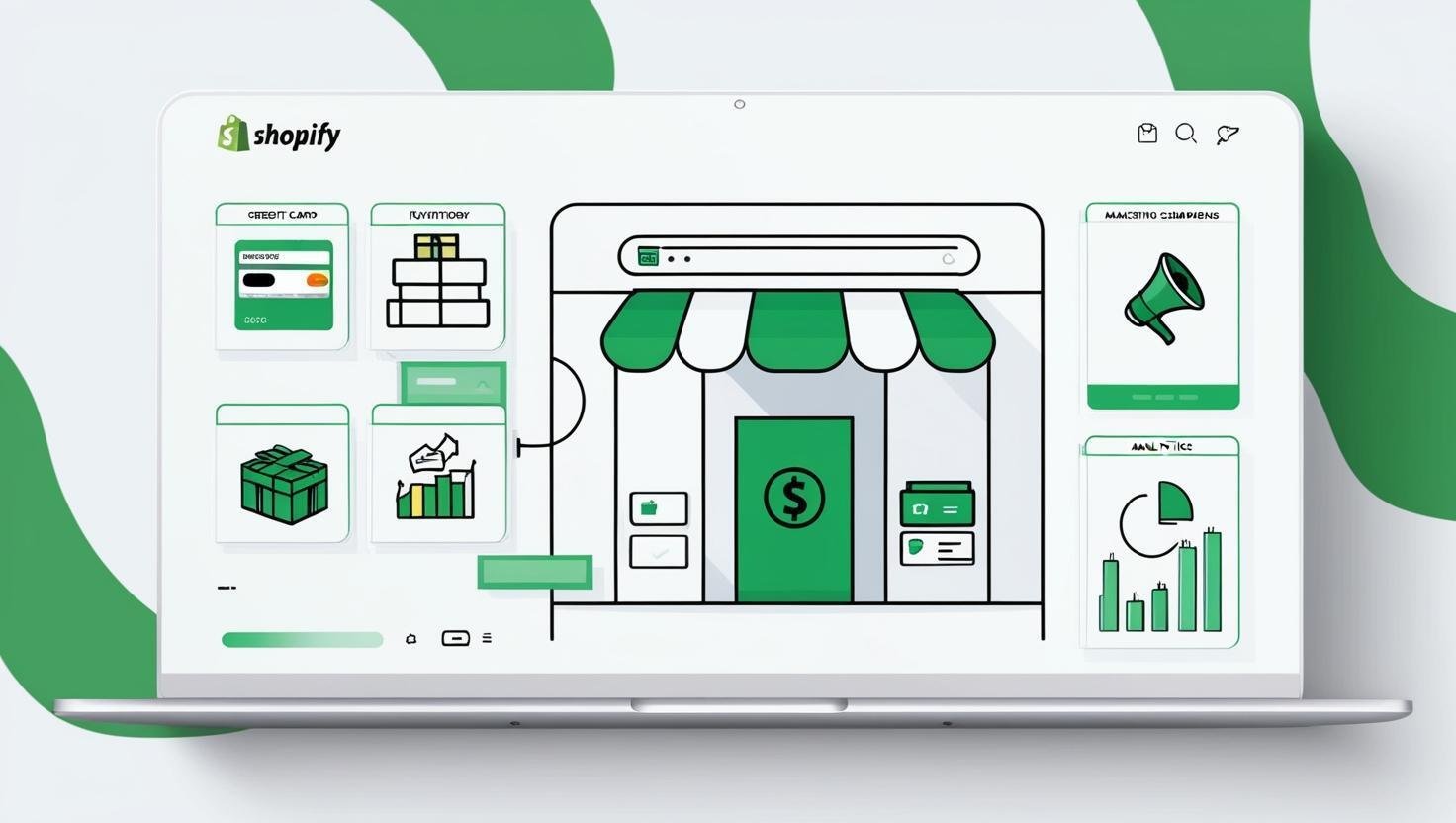
If you're considering starting an online store, you've probably heard of Shopify—one of the world’s most popular eCommerce platforms. Shopify powers millions of businesses in over 175 countries, making it one of the top choices for entrepreneurs, small businesses, and even large brands.
Shopify is a subscription-based platform for running an online store. You pay a monthly fee, from $39 on the Basic plan, and in return Shopify hosts your website, runs the checkout, processes payments and keeps your products, orders and customers in one admin. When someone buys, the order lands in that admin, stock updates, and you ship it. No code is required, and most first stores are live within a day.
If you have heard of Shopify but are not sure what it actually is, this guide explains it the way you would explain it to a friend about to open a store: what it does, what happens when someone places an order, what it costs, where its limits are, and who it suits.
We have built on Shopify and Shopify Plus since 2013, so where it helps, we also show what is happening behind the screen. Nothing here needs technical knowledge to follow.
What Is Shopify?
Shopify is a cloud-based commerce platform that lets you build an online store, take payments and manage orders from one dashboard, online and in person, without writing code. You rent the software for a monthly fee, and Shopify runs the servers, the security and the checkout.
Shopify started in 2006 in Ottawa, Canada. Founders Tobias Lütke and Scott Lake were trying to sell snowboards online, could not find store software they liked, and built their own. That software became the product.
Today Shopify powers around 12% of US ecommerce, served 875 million shoppers in 2024, and has processed more than $1.4 trillion in sales for merchants in over 175 countries.
Shopify is to online stores what Gmail is to email. You do not install anything or maintain a server. You log in through a browser, and everything you need to sell is already there.
Is Shopify software or a website?
Both, depending on what you mean. Shopify itself is software, sold as a subscription. A “Shopify store” or “Shopify website” is a store someone built with that software. When a business owner says “we are on Shopify,” they mean their store runs on it.
What Does Shopify Do?
Shopify handles the jobs that used to need five or six separate tools:
- Storefront — builds your website from a theme, with product pages, collections and a blog.
- Checkout and payments — a hosted checkout page, Shopify’s own payment processor, and more than 100 third-party payment providers.
- Products and inventory — product pages, variants such as size and color, and stock levels across locations.
- Orders, shipping and taxes — order management, discounted shipping labels, tracking emails and automatic sales tax calculation.
- Marketing — discount codes, email campaigns, and sales channels for Facebook, Instagram, TikTok, Google and marketplaces.
- Analytics — sales, conversion rate, traffic sources and customer reports.
- In-person sales — Shopify POS for retail stores, markets and pop-ups, sharing the same inventory as the website.
- Apps — an App Store with more than 8,000 apps for reviews, subscriptions, loyalty, upsells and almost anything else.
- Finance — a business account, sales tax collection, and funding through Shopify Capital.
You can sell physical products, digital downloads, memberships, subscriptions, ticketed events and services. Some categories are restricted, which we cover in the FAQs.
Which companies use Shopify?
Everything from side projects to global brands. Shopify Plus, the enterprise tier, runs stores for Gymshark, Allbirds, SKIMS, Supreme, Mattel and Heinz. Most Shopify stores, though, are small: one or two people selling a product line they made or sourced.
Shopify has also built AI into the admin. Sidekick is an assistant you can ask plain questions such as “how do I set up free shipping over $50,” and it either explains or does it. Shopify Magic drafts product descriptions and cleans up product photo backgrounds, and you can generate a first-draft theme by describing your brand. For a nervous first-time store owner, these remove a lot of small blockers.
How Does Shopify Work?
Shopify works as one central admin that stores your products, prices, stock and customers once, then serves them to every place you sell. When a customer buys, Shopify handles the whole transaction and shows you the order.
Here’s what happens on a single order:
- You set up the store — adding products, picking a theme, connecting a payment method and setting shipping rates. This is the only step that takes real effort.
- A shopper lands on your storefront and browses the pages your theme generates from your products and collections.
- They add to cart and check out — Shopify’s hosted checkout collects the address, calculates shipping and tax, and shows the total.
- They pay — Shopify Payments, or your chosen provider, approves the card, Apple Pay, Google Pay, PayPal or Shop Pay. The money reaches your bank account within a few business days.
- The order lands in your admin, inventory drops by the quantity sold, and the shopper gets an automatic confirmation email.
- You fulfill it — buy and print a shipping label inside the admin, mark the order fulfilled, and Shopify emails the tracking number.
- Your analytics update — sales, conversion rate and the traffic source that brought the shopper are recorded automatically.
The idea to hold onto is “stored once, sold everywhere.” Change a price in the admin and it changes on your website, your POS terminal, your Instagram shop and any marketplace you’ve connected. That’s the difference between Shopify and stitching together a website builder, a payment provider and a spreadsheet.
What Does a Shopify Store Look Like?
A Shopify store has two sides.
The shopper’s side is a normal-looking website. Unless you notice the checkout URL or the purple Shop Pay button, you often cannot tell a store runs on Shopify.
Your side is the admin: a dashboard with Home, Orders, Products, Customers, Marketing, Discounts, Analytics, Online Store and Settings down the left. There is also a mobile app, so you can fulfill orders or update stock from your phone.
What’s Included in Every Shopify Store
Every plan includes the following, without apps.
Products and inventory
Each product has a title, photos, description, price and stock count. Products with options such as size or color get variants, each with its own price and inventory. Collections group products into category pages, either by hand or automatically by rules like “everything tagged summer.” Large catalogs can be imported from a spreadsheet.
Orders and fulfillment
Every order appears in the Orders list in real time. From there you print packing slips, buy shipping labels at discounted rates (Shopify quotes savings of up to 88% with major carriers), issue refunds and send tracking updates. A self-serve returns portal lets customers start a return without emailing you.
Marketing tools
Shopify Email sends campaigns from inside the admin. Abandoned checkout emails, which nudge shoppers who left without paying, are available on every plan and take minutes to switch on. Discounts cover percentage, fixed amount, free shipping and buy-one-get-one offers. Pixels for Meta, TikTok and Google connect in a few clicks.
Analytics
A live dashboard shows sales, sessions and conversion rate. Reports break performance down by product, traffic source, device and location, with deeper reporting on higher plans. Google Analytics 4 connects directly for anyone who wants more.
AI tools
Sidekick answers questions about your store and can take actions for you. Shopify Magic writes first-draft product descriptions and email subject lines and edits image backgrounds. Treat the output as a starting point, not a finished product.
Security
Every store is covered by PCI DSS compliance and gets an SSL certificate at no cost, so the padlock shows in the browser from day one. Orders paid through Shopify Payments are screened for fraud automatically. For a beginner, this means the security work that used to require a specialist is simply done.
How Shopify Works Under the Hood: What You Can Change, What You Can’t, and Who Does It
Most guides stop at “Shopify handles hosting and checkout.” One layer down is where the practical questions live: what can you customize, and when do you need help?
| What you want to change | Can you? | On which plan? | Who does it |
|---|---|---|---|
| Homepage layout, sections, colors, fonts | Yes | All plans | You, in the theme editor |
| Product page design | Yes | All plans | You for standard layouts; a developer for custom ones |
| Checkout steps and fields | Branding only | Restructuring needs Shopify Plus | An app for extras; a developer on Plus |
| Discount and shipping rules | Standard rules yes | Custom-built logic needs Plus | You for standard rules; a developer for custom logic |
| Subscriptions | Yes | All plans | A subscription app |
| Connecting accounting, ERP, CRM or warehouse systems | Yes | All plans | An app for common tools; a developer for custom systems |
| A feature no app offers | Yes | All plans | A developer, as a custom app |
Four things explain that table.
Themes
Your storefront is a theme, written in Liquid, Shopify’s template language, plus standard HTML, CSS and JavaScript. Modern themes are built from sections you add, remove and rearrange in the editor without touching code. Editing the code itself is allowed and gives full control of the storefront.
Apps
An app is a separate piece of software that talks to your store through Shopify’s APIs. It reads and writes your products and orders, gets notified when something happens such as a new order, and stores its own data against your products and customers. This is why you can add subscriptions, loyalty or bundles without Shopify building those features itself. It is also why a store running 30 apps gets slow and expensive.
Checkout
The checkout is hosted by Shopify, and you do not get its code. On every plan you can change the logo, colors and fonts. Restructuring the checkout steps, or writing custom discount, shipping and payment rules, is Shopify Plus territory. This is the biggest “can’t” on standard plans and it surprises people who assume everything is editable. There is more that can be done within those limits than most owners realize, and customizing the Shopify checkout has its own set of options on each plan.
Data
Everything in your store is accessible through the API. That is how Shopify connects to accounting, CRM and warehouse systems, how an ERP integration with Shopify works in practice, and how “headless” stores use Shopify as the engine behind a custom-built front end.
When do you need a developer?
For complex subscription or bundle logic, custom checkout behavior, integrations with systems you already run, or a headless build. Those are the situations where custom Shopify development makes sense, usually once a store has outgrown what apps can do. For everything else, the theme editor and the App Store will get you further than most beginners expect.
How Much Does Shopify Cost in 2026?
| Plan | Monthly billing | Annual billing (per month) | Best for |
|---|---|---|---|
| Starter | $5 | n/a | Selling through social and messaging links |
| Basic | $39 | $29 | New stores, solo founders |
| Grow | $105 | $79 | Growing stores with a small team |
| Advanced | $399 | $299 | High-volume stores needing advanced reporting |
| Plus | from $2,300 | Annual contract | Enterprise and high-volume brands |
These prices were checked in September 2026 against Shopify’s own pricing page. Basic costs $39 a month, or $29 a month if you pay for the year upfront. Grow is $105 or $79, Advanced is $399 or $299, and Starter is a flat $5. Plus starts at $2,300 to $2,500 a month depending on contract length. Paying annually saves roughly a quarter on the three core plans.
If you’ve read older guides that mention a $105 “Shopify” plan, that’s the plan now called Grow. Shopify renamed it in early 2026 and left the price and features unchanged.
You can try it before paying anything. Shopify offers a 3-day free trial, then charges $1 a month for the first three months on any standard plan, and regular pricing kicks in after that. The current terms are always on Shopify’s pricing page.
Payment processing is charged separately from the plan. With Shopify Payments, online card rates are 2.9% + 30¢ on Basic, 2.7% + 30¢ on Grow and 2.5% + 30¢ on Advanced. If you use a different payment provider, Shopify adds 2%, 1% or 0.6% per transaction on top of that provider’s own charges. That extra fee is what people mean when they say Shopify Payments has no transaction fees: there’s no additional fee, but you still pay the card rate.
How much does Shopify take from a $100 sale?
Using Shopify Payments at US online rates:
| Plan | Fee on a $100 order | You receive |
|---|---|---|
| Basic | $3.20 | $96.80 |
| Grow | $3.00 | $97.00 |
| Advanced | $2.80 | $97.20 |
Your monthly plan fee is separate. If you use PayPal or another provider instead, add Shopify’s 2%, 1% or 0.6% to whatever that provider charges.
There are other costs to budget for: a domain (about $15–20 a year), a paid theme if you want one (a one-time purchase, up to around $350), and apps — many are free, and the useful paid ones run $5–50 a month each. A “$39 store” often costs $80–150 a month once it’s running properly. That’s not a criticism, just the number to plan with.
UK merchants pay in pounds at slightly different rates; the UK version of Shopify’s pricing page has the current figures.
How to Set Up a Shopify Store in 7 Steps
- Sign up at shopify.com, start the trial and answer the setup questions. Your admin is ready in a couple of minutes, and no card is required.
- Pick Basic as your plan unless you already have a team. It’s right for almost every first store, and you can move to Grow later when you need more staff logins or your card volume makes the lower rate worthwhile.
- Choose a theme under Online Store, starting with a free one, then add your logo, colors and homepage sections in the editor.
- Add products — open Products, choose Add product, and fill in the title, photos, description, price, SKU and inventory, plus variants like size or color.
- Set up payments under Settings. Activate Shopify Payments if it’s available in your country (the US, UK, Canada, Australia, Ireland and around 20 others), then enable Shop Pay, PayPal and digital wallets.
- Set shipping and taxes — open Shipping and delivery under Settings for zones and rates, then Taxes to turn on automatic calculation.
- Connect a domain, test, launch — add your domain under Settings, place a test order to confirm payment and emails work, then remove the storefront password under Online Store in Preferences. Your store is live.
Where You Can Sell With Shopify
- Your online store
- In person, with Shopify POS
- Social platforms: Facebook and Instagram Shops, TikTok, Pinterest, YouTube
- Marketplaces such as Amazon, eBay, Walmart and Etsy, through channel apps
- The Shop app and Shop Pay
- Other websites, through the Buy Button
- Dropshipping and print-on-demand, with apps like DSers, Spocket, Printful and Printify
Oberlo, which older guides still recommend for dropshipping, closed in 2022.
Shopify Pros and Cons
Advantages
- One system for everything — you never manage hosting, security or updates.
- A fast, trusted checkout — Shopify reports it as the highest-converting on the internet, and returning shoppers can pay in one tap with Shop Pay.
- Inventory that stays in sync across online and in-person sales.
- An App Store that covers almost any feature you can think of.
- Room to grow — it scales from a first sale to enterprise volume without a platform change.
What are the disadvantages of Shopify?
- Costs add up — the plan is only the start; paid apps, a theme and the extra fee on third-party payment providers all stack on top.
- Limited checkout control below Plus — you can brand it but not restructure it.
- App dependency — features that come built in on some platforms, such as subscriptions and advanced reviews, are apps here, each with its own fee and its own effect on site speed.
- A fixed URL structure — product and collection URLs follow Shopify’s pattern, which some SEO teams dislike.
- Basic content tools — the blog and page builder are fine for a store and weak for a content-heavy site.
Common Mistakes New Merchants Make on Shopify
- Installing an app for everything — every app adds load time and usually a monthly fee. Add apps when a specific problem appears, not before.
- Choosing a plan from the feature list rather than from how many people need admin access and how much card volume you process. Start on Basic and upgrade when the numbers say so.
- Treating launch as the finish line — a live store doesn’t bring visitors on its own. Decide how traffic will arrive (content, email, ads, social, marketplaces) before you launch.
- Spending weeks on design before making a sale — a plain theme, a few orders and then a design investment is the safer order.
- Skipping shipping and tax setup — wrong rates at checkout are the fastest way to lose an order, or to lose money on one.
How Shopify Compares
Shopify vs Amazon: is Shopify like Amazon?
No. Amazon is a marketplace. You list products on Amazon’s site, Amazon’s shoppers find them, and Amazon owns the customer relationship. Shopify gives you your own store on your own domain, with your own customer list and branding. Many businesses do both: Amazon for reach, Shopify for margin and repeat customers.
If you are asking who Shopify’s biggest competitor is, it depends on the question. Among store platforms, it is WooCommerce, BigCommerce, Wix and Squarespace. As a place where shoppers actually buy, it is Amazon.
Shopify vs WooCommerce vs Wix
| Shopify | WooCommerce | Wix | |
|---|---|---|---|
| Type | Hosted platform | WordPress plugin, self-hosted | Hosted website builder |
| Setup | Easiest for a full store | Most work; you manage hosting and updates | Easy; the store is an add-on |
| Cost model | Subscription plus apps | Free plugin plus hosting and extensions | Subscription |
| Flexibility | High through apps and the API; checkout limited below Plus | Highest, with a developer | Lowest |
| Best for | Product businesses at any size | Content-led sites that also sell, or full control | Small stores and service sites |
Moving between platforms is routine. Shopify has a store importer for small catalogs, and larger stores are usually moved with a migration app or through a Shopify migration service that also handles orders, customers and redirects.
Is Shopify Right for You?
Shopify is a good fit if you sell physical products, want online and in-person sales in one system, do not want to manage hosting or security, or expect to grow and do not want to change platforms later.
Look elsewhere if you need a custom checkout flow on a small budget (WooCommerce or a custom build), you are primarily a content site with a small shop on the side (WordPress with WooCommerce), or you sell services with no products at all (a website builder is cheaper).
Is it worth selling on Shopify? Do Shopify stores make money?
Shopify is a tool. It removes the technical reasons a store fails; it does not remove the commercial ones. Stores make money when the product has demand, the margin covers fees and shipping, and there is a steady source of traffic. Shopify’s real value is that it lets you find out whether those three things are true for under $50 a month, without building anything.
Frequently Asked Questions
Is Shopify free?
No. There is a 3-day free trial and a $1 a month offer for the first three months, then plans start at $39 a month, or $29 a month on annual billing.
Can I use Shopify without coding?
Yes. Themes, the theme editor and apps cover most stores. Code is only needed for custom features, and you can hire that out.
What is Shopify used for?
Selling products, online through your own store, in person through POS, and through social and marketplace channels, all managed from one admin.
What cannot be sold on Shopify?
Anything illegal where you operate, plus categories restricted by Shopify’s Acceptable Use Policy. Some legal but regulated products, such as firearms, certain supplements and alcohol in some regions, cannot use Shopify Payments and need a specialist payment provider.
Is it safe to buy from a Shopify store?
The checkout itself is secure: hosted by Shopify, encrypted and PCI compliant. Shopify does not vet every store, though, so judge the seller the way you would any online shop.
Is Shopify a website or software?
Software, sold as a subscription. A Shopify website is a store built with it.
What is Shopify built on?
Shopify’s platform is written mainly in Ruby on Rails and runs on its own cloud infrastructure. Storefront themes use Liquid, Shopify’s template language, with HTML, CSS and JavaScript.
Can I migrate from WooCommerce to Shopify?
Yes. Shopify’s store importer handles products and customers for small catalogs. Apps such as Matrixify or Cart2Cart handle larger ones, including orders and URL redirects.
How does Shopify make money?
From plan subscriptions, from payment processing through Shopify Payments, from a share of app and theme sales, and from financial products such as Shopify Capital and POS hardware.
How long does it take to build a Shopify store?
A working store with a free theme can be live in a day. A branded store with custom design, apps and integrations usually takes two to six weeks.
What is the difference between Shopify and Shopify Plus?
Shopify Plus is the enterprise tier. It adds full checkout customization, B2B and wholesale tools, automation, more staff accounts, lower card rates, extra stores for international markets and dedicated support, starting at about $2,300 a month.
Does Shopify work in the UK?
Yes. UK merchants get the same platform, Shopify Payments is available, and pricing is in pounds.

 Get Started
